How to Stop Paying for Short Drama Apps (2026): A Playbook That Actually Cuts the Bill
- Step one is always the same: cancel the auto-renewal in your phone's subscription settings (Google Play or the App Store) — not inside the app. Cancelling in the app does nothing on most platforms.
- After that, the free tier is bigger than people think: the series we tested ran 10–16 free episodes each, and check-ins, watch-time tasks and ad unlocks add up to a few hundred coins a day.
- Buy coins below roughly two series a month; subscribe (annually) above it. The middle ground — a single week of membership per binge — is the cheapest paid route of all, but only if you cancel on time.
- The bill is not driven by prices, which barely differ between apps. It is driven by renewals you forgot and coin packs you bought to finish one scene. Both are decision problems, not price problems.
Step one: kill the renewal — in the right place
Almost everyone who “stops paying” starts here, and almost everyone does it wrong once. The subscription is not managed inside the app. It lives in your phone’s subscription list:
- Android: Google Play → your profile → Payments & subscriptions → Subscriptions
- iPhone: Settings → your name → Subscriptions
Find the app, tap cancel, and you keep access until the period you already paid for runs out. Nothing you bought disappears; coins stay in your balance.
The apps show “Cancel anytime” buttons that open a web page or a help article. The actual control is in your phone’s subscription settings. If you only “cancelled” in the app, check your subscription list now — that is the single most common way people keep getting charged.
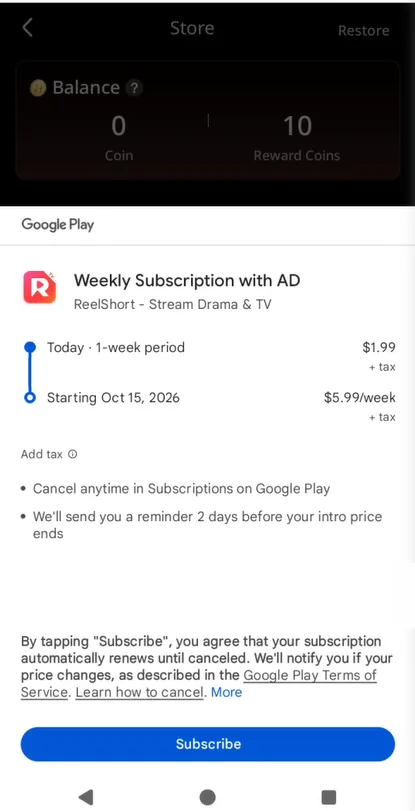
One timing detail that costs people money: Google Play bills up to 24 hours before each period ends, and subscription pages on these apps frequently advertise a renewal rate well above the intro price. On the account we tested, a weekly plan renewed at a higher rate than the discounted first week, and all prices were subject to tax on top.
Step two: re-learn what the free tier actually covers
People who feel trapped by these apps are usually using the free tier far below its actual capacity. Here is what it covered in our October 2026 testing on two of the biggest apps:
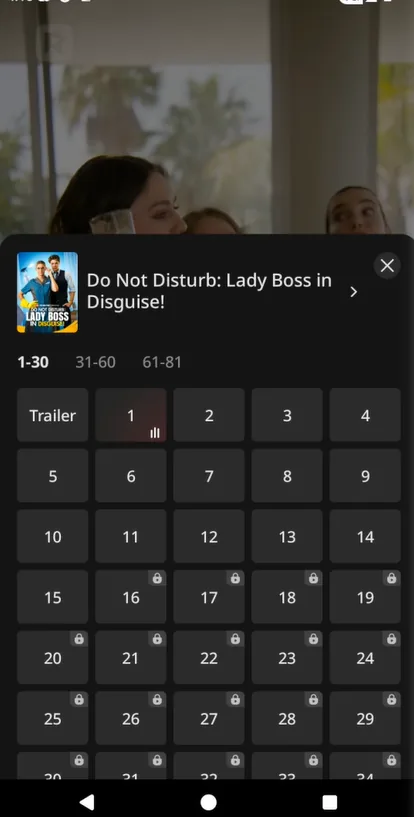
- Free opening episodes: 10–16 per series. The boundary is not published and it differs from title to title, so check the episode list of the series you actually want before assuming.
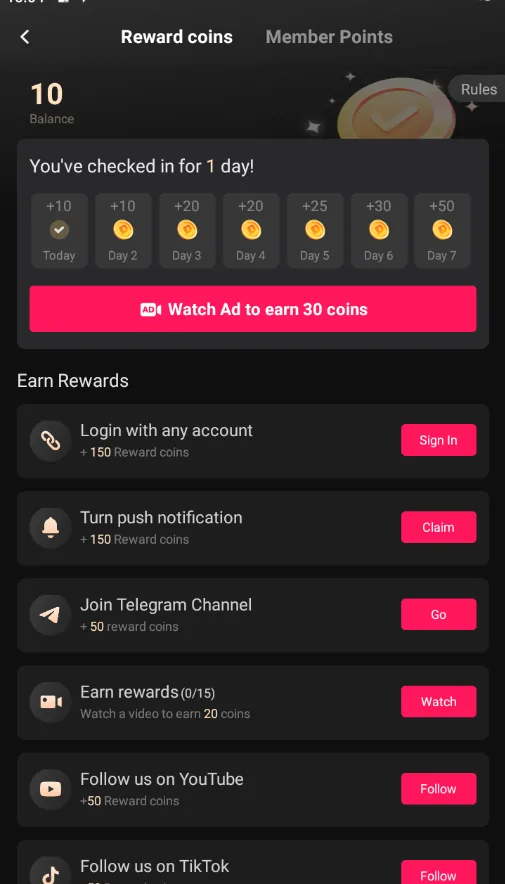
- Daily check-ins: a seven-day streak across the two apps we measured paid between 165 and 375 coins in week one.
- Watch-time tasks: up to roughly 300–340 coins a day for minutes you were going to watch anyway.
- Ad unlocks: 8–10 episodes a day on selected titles, paid in advertising time rather than money.
The honest arithmetic: one locked episode costs 50–60 coins, and the passive sources generate a few hundred coins a day. That is roughly five episodes a day of effort-free viewing, forever, at zero dollars. It will not support bingeing three series a week — but it will support watching more than most people realise.
Step three: pick your payment shape on purpose
“Stop paying” does not have to mean “pay zero”. It means paying for a decision you made, instead of a renewal you forgot. Three shapes cover everyone:
Under two finished series a month: buy coins. At $0.50–0.60 an episode, finishing a series costs $11–16 from the smallest pack, less from bigger ones. No renewal exists to forget.
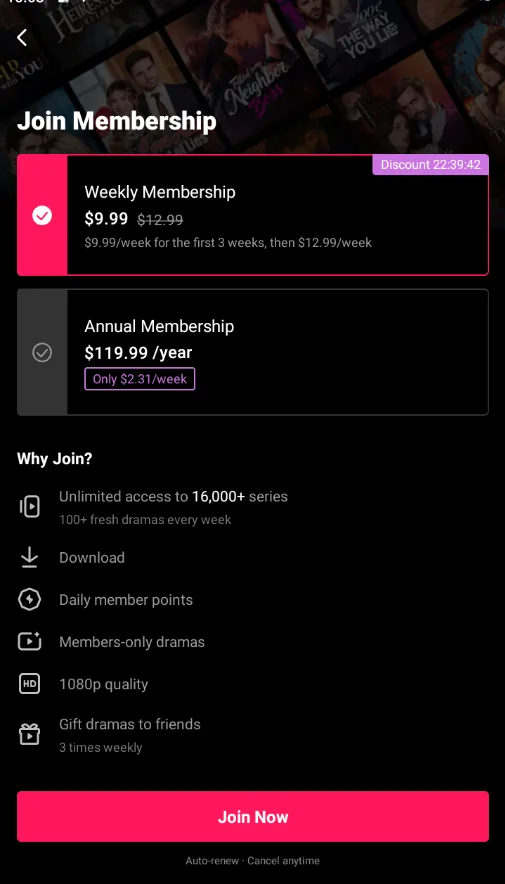
Binge months: buy a single week of membership and cancel it the same day. One week of unlimited access covers a full short series. This is the cheapest paid route that exists on these apps — and it only works if the cancellation from step one actually happens.
Two or more series every month: subscribe annually. The weekly renewal rates we observed ($5.99–$19.99 across two apps) dwarf the annual equivalents. If you are a regular viewer, annual is the adult decision — see the DramaBox cost breakdown for the worked numbers.
Step four: the reminder that saves the most money
This is unglamorous and it is the highest-value step on the page. When you start any trial or discounted subscription, set a phone reminder for two days later — before the first renewal, not after the first charge.
Do the same for the day you plan to finish a series. Most coin purchases we see people regret were bought at midnight to finish one more scene. A reminder that asks “did I actually finish it?” converts impulse spending into a decision.
What does not work
- Coin generators, redeem-code sites and “unlimited coins” tools. Balances are held server-side; these sites harvest logins or sell nothing.
- Modified or tampered app builds. They violate the terms of service, get accounts banned, and are a common malware vector. They also poison the well: any account credit you earned legitimately can be wiped with the ban.
- Subscription-hopping. Buying a week on one app, then another, then another sounds frugal and behaves like five forgotten renewals. Same rule as step one, every time.
- Ignoring the free tier because it feels slow. The per-series free episodes are the largest allowance these apps give. Skipping them is paying for content that was on offer.
When this playbook does not work
- If you watch more than about ten episodes a day, every day, the free tier’s caps will not cover you, and no legitimate trick will. The useful question becomes which paid shape is cheapest, not whether to pay.
- The numbers here are from Android with a US account, October 2026. Caps, coin amounts and intro prices rotate constantly on these apps. The playbook outlasts the figures; the figures will not survive the quarter.
- iOS pricing can differ from Android for the same app, and we tested on Android only. Verify on your own device before relying on a specific number.
- If your goal is to watch specific premium titles the day they drop, free routes will not carry them. That is a legitimate reason to pay — it is just a decision, not a trap, when you make it consciously.
Bottom line
Cancel the renewal in your phone’s settings, set a reminder two days after any subscription you start, and match your payment shape to how much you actually watch. Between the free episodes and the daily coin sources, most viewers can cut their bill by half or more without watching anything less — and the people who pay full freight are usually the ones who skipped step one.
Frequently asked questions
Do I have to pay to keep watching short dramas?
No, but you will hit a ceiling. In our testing every major app opens each series with a block of free episodes (roughly 10–16 before the paywall) and pays a few hundred coins a day through check-ins, watch-time tasks and ad unlocks. That is enough to sample widely and finish the occasional short series. It is not enough to binge continuously — the caps are the business model.
Will cancelling my subscription delete the episodes I already paid for?
No. Cancelling stops the next charge; you keep access until the end of the period you already paid for. Coins you purchased remain in your balance. What you lose is the unlimited-access privilege once the period expires.
Why did I get charged even though I stopped watching?
Because watching and paying are not linked. These subscriptions renew automatically until cancelled, and Google Play charges up to 24 hours before the new period starts. The fix is a calendar reminder one or two days after you subscribe — before the renewal, not after the charge.
Are coin packs cheaper than subscriptions?
Depends entirely on volume. Coins priced out at roughly $0.50–0.60 per episode at the smallest packs in our tests, so finishing one series costs about $11–16. One week of a subscription covers a full series for less. Below about two finished series a month, coins or single weeks win; above it, an annual plan does.